
What you need to know before price-checking low float skins
A marketplace with float filtering (e.g., buff163, csfloat).
Knowledge of CS2 wear ranges:
- Factory New: 0.00–0.07
- Minimal Wear: 0.07–0.15
- Field-Tested: 0.15–0.38
- Well-Worn: 0.38–0.45
- Battle-Scarred: 0.45–1.00
A float viewer (extension/site) for items you own, so you know your exact float.
Terminology: “Double-zero” usually means 0.00–0.01 – the sweet spot for Factory New.

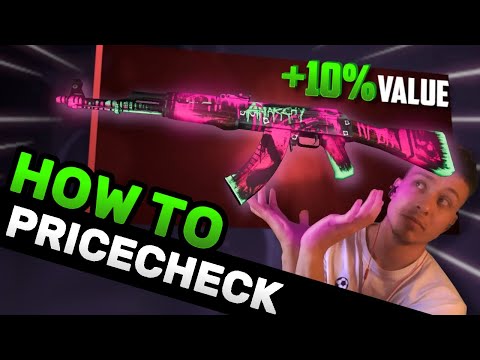
The 6-step pricing workflow
1) Find the base price in the same wear
Open the item on your market of choice. Sort by price within your wear (e.g., FT). Note the lowest ask(s). This is your base price—what average floats go for.
2) Filter to a low-float range inside that wear
Use the float slider/range:
- FN: 0.00–0.01 (double-zero) as a quick test.
- MW: 0.07–0.08 is a good “low” band to start.
- FT: 0.15–0.18 is a practical low band.
(Adjust bands per item liquidity—go narrower if there are many listings, wider if few.)
3) Read the low-float price (lowest ask in that band)
Write down the cheapest ask among the low floats. That’s the reference premium the market is currently paying.
4) Calculate the premium
Use a simple formula:
Premium % = (Low-float price − Base price) ÷ Base price × 100
Examples you’ll commonly see:
- Cheap, high-volume skins: +10% to +80% (big swings).
- Mid/high-tier with lots of supply: +5% to +20%.
- Some items: no premium at all. (Don’t force it.)
5) Sanity-check against the next wear tier
Never price your FT low-float above reasonable MW asks unless the market clearly supports it. A good rule: if your FT low-float price approaches the cheapest MW, cap it slightly below MW to keep it attractive.
6) Set your ask and manage the listing
List a touch under the next competing low-float. If there’s no comp, start high (below the next wear tier), then step down over time until it sells.
Quick “low band” cheat sheet
These are fast starting points—tune per item:
- FN: 0.00–0.01 = “double-zero” test band
- MW: 0.070–0.080
- FT: 0.150–0.180
- WW: 0.380–0.400
- BS: 0.450–0.500
How to profit by re-selling low float skins:
One of the simplest, most consistent flips is sniping low-float skins listed at base price (no overpay) on popular CS2 skin marketplaces and relisting them at the going low-float premium. You won’t win every time and you may need to wait for a buyer, but across liquid items this adds up fast.
How to do it
- Scan markets with float filters and sort by newest/cheapest. Look for items in the bottom band of their wear (e.g., FN 0.00–0.01, MW 0.07–0.08, FT 0.15–0.18) that are priced the same as average-float listings.
- Confirm the float (inspect link / extension) and check comps: base price vs low-float price in the same wear.
- Buy fast if the spread covers fees and leaves margin.
- Relist smart: undercut the next cheapest low-float (same wear) and set a soft ceiling below the next wear tier’s cheapest listing.
- Be patient: liquidity varies. If it doesn’t move, step down gradually while staying above base price.
Rule of thumb: aim for flips where the low-float premium is ≥10–20% after fees. Many cheap, high-volume skins can yield 30–100% premiums; mid-tier items often give 5–20%.
Tips to increase hit-rate
- Use watchlists/alerts and check during off-peak times when misprices slip through.
- Avoid items with zero historic premium (base and low-float prices equal).
- Watch for stickers/patterns—they can change comps entirely.
- Track results; focus on SKUs that repeatedly deliver spreads.
Real-world patterns you’ll notice
- Low-float premiums exist across wears, not just FN. A MW 0.071 can beat a typical MW by a lot—even if it will never touch FN prices.
- Some skins have zero premium. If low-float and base are the same price, don’t expect extra—move on.
- Supply matters. Skins that only drop in FN/MW (no FT) tend to have more low-float supply, which can compress the premium.
- Liquidity trumps theory. If there are only a few comps, you’re price-discovering. Start under the next wear tier and descend gradually.
Common mistakes to avoid
- Comparing across wears. Always price against items in the same wear first, then sanity-check with the next tier.
- Ignoring fees and currency. Work in the same currency and remember fees when judging profit.
- Overreading tiny differences. 0.150 vs 0.151 won’t usually change demand; buyers pay for bands, not single ticks.
- Forgetting pattern/sticker effects. Special patterns or expensive sticker crafts can overshadow float pricing entirely.
Example walkthrough (condensed)
- You own an FT skin (float 0.158).
- Base FT price = $0.73.
- Filter FT 0.15–0.18 → cheapest low-float ask = $1.24.
- Premium = (1.24 − 0.73) / 0.73 ≈ +69.9%.
- Cheapest MW is $1.55 → your $1.24 is safely below MW; list it at $1.22–$1.24 to be the first sale.
- If it sits, nudge down in small steps while staying above base FT.
Fast checklist (save this)
- Identify wear and float of your skin
- Note base price (same wear)
- Filter to low-float band (same wear)
- Record low-float price and compute premium %
- Compare to next wear tier to set a sensible ceiling
- List slightly under the next low-float competitor
- Reprice gradually if it doesn’t move
FAQ: Low-Float Pricing in CS2
-
What is a “float value” in CS2?
-
What counts as “low float”?
-
Does low float always mean higher price?
-
Can Minimal Wear or Field-Tested get overpay?
-
How do I price when no low-float comps exist?
-
What about high-float premiums?
-
Do stickers and patterns affect low-float pricing?
-
Which marketplace should I use?
-
How often should I reprice?
-
Is it worth chasing low floats on cheap skins?