
 Fast trades with instant execution





Quick Overview
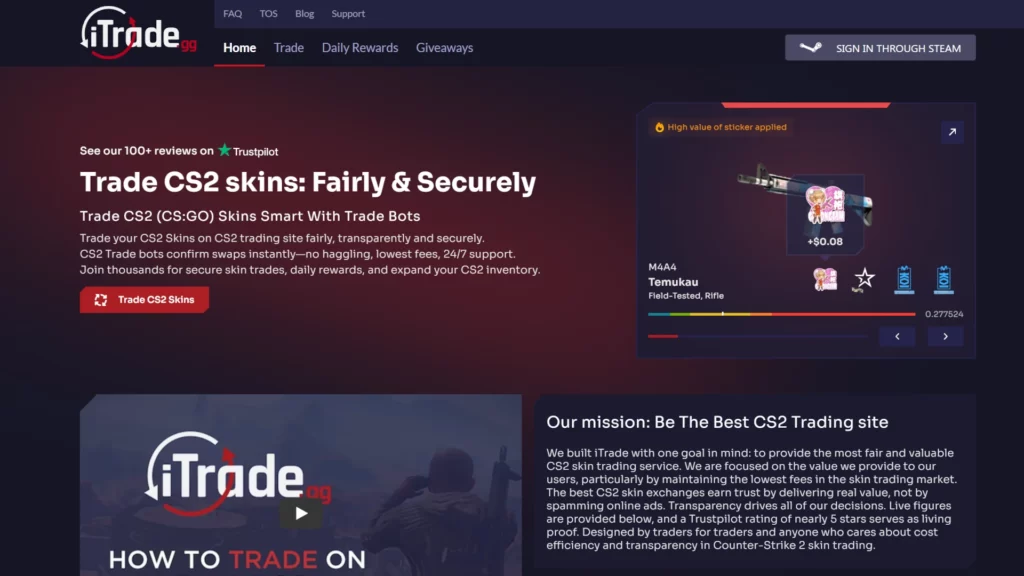
iTrade.gg is a CS2 and Rust skin trading marketplace that operates using automated trade bots. Instead of traditional cash deposits and bank withdrawals, the platform focuses entirely on skin-to-skin trading.
Launched in 2020 and based in the USA, iTrade.gg offers access to around 160,000 skins, mainly for Counter-Strike 2 and Rust. With roughly 77,000 monthly visits, it sits in the mid-sized marketplace category.
This platform is best suited for:
- Players who want to trade skins quickly without waiting for buyers
- Users who prefer bot-based instant trades
- Traders who mainly operate within the Steam ecosystem
- CS2 and Rust players looking for variety without cashing out to fiat
It is not ideal for users who want direct bank withdrawals or card deposits, since the marketplace works through skins rather than traditional payment methods.
Fees
Understanding the fees at iTrade.gg helps you know how much value you keep from each trade. Unlike cash-based marketplaces, iTrade.gg uses bot trading, so most costs are built into trade value differences rather than shown as a simple percent at checkout. Below is a clear breakdown of all known fees, including buyer costs, seller costs, deposit and withdraw fees, and how much you get if you use the insta sell feature.
| Fee Type | What It Is | Amount / Notes |
|---|---|---|
| Buyer Fee | The hidden cost you pay when buying skins through bot trades. This shows up as a markup between what you give and what you receive. | Not publicly listed as a fixed percent; embedded in trade value differences. |
| Seller Fee | The implicit fee when you trade your skin into the bot for another item — the bot pays less than market value. | Not a stated flat percent; reflected in trade value difference. |
| Trading Fee | The overall difference in value between skins you send and receive through bots. | ~7% average value difference based on how the bot pricing works. |
| Insta Sell Fee | If you use any sell-now option, this is how much iTrade.gg pays compared to Cash value. | Around 82% of Cash value. |
| Deposit Fee (Fiat) | Charge for adding funds with a credit/debit card via Stripe (if available). | 2.9% + $0.25 per transaction. |
| Withdraw Fee | Cost to pull skins back into your inventory from the site. | $0.30 worth of inventory. |
Notes on Fees
- Bot pricing differences act as both buyer and seller fees since there is no separate listed cut — the bot always offers slightly less value than the Cash price.
- The insta sell percentage shows you how much you get if you choose to sell your skin directly without trading for another item.
- Traditional deposit methods like card are available only for adding funds, with standard payment processor fees.
This structure makes iTrade.gg more like a trading hub than a classic buy/sell marketplace, so always check trade offers carefully before accepting.
Is iTrade.gg Legit?
Yes, iTrade.gg is a legitimate skin trading marketplace, but like any CS2 trading site, it’s important to understand how it operates and what users say about it.

Here’s a clear breakdown of trust factors:
Years in Operation
iTrade.gg launched in 2020 and has been active for several years. A multi-year track record is generally a positive sign in the skin trading space, where short-lived scam sites are common.
Community Reputation
The platform is known mainly for bot-based trading rather than cash transactions. Among trading-focused users, it has a reputation for:
- Fast automated trades
- Large skin inventory (around 160,000 skins)
- Straightforward Steam integration
It is less known than major marketplaces, but it maintains steady traffic (about 77,300 monthly visits).
Trustpilot Score
- 4.8 out of 5 stars
- Based on 117 reviews
This is a very strong rating. However, the review count is still relatively small compared to larger marketplaces with thousands of reviews.
Reddit Feedback
Reddit discussions generally describe iTrade.gg as:
- Reliable for quick trades
- Best for swapping skins rather than cashing out
- Important to double-check trade values before confirming
As with most trading sites, users advise carefully reviewing each bot offer inside Steam.
Known Scams Associated with iTrade.gg
There are no major, widely reported scam cases directly tied to iTrade.gg itself.
That said, common risks in the CS2 marketplace ecosystem include:
- Fake impersonator bots
- Phishing websites copying marketplace branding
- Trade URL hijacking scams
These risks are not unique to iTrade.gg — they exist across all skin trading platforms. Always verify:
- The official domain (itrade.gg)
- The bot’s Steam profile
- The trade offer details before accepting
Overall, based on years active, strong Trustpilot rating, and lack of major controversy, iTrade.gg appears to be a legitimate platform for skin trading.
Payment Methods at iTrade.gg
iTrade.gg works differently from many large cash marketplaces. It is primarily a skin-to-skin trading platform, meaning most transactions happen through Steam trade offers rather than traditional payment systems.
Still, it’s important to understand exactly what you can use to deposit and what you can use to withdraw.
Here’s a clear breakdown:
| Payment Method | Deposit Available | Withdraw Available | Details |
|---|---|---|---|
| CS2 Skins | Yes | Yes | Main method. Trade skins directly through Steam bots. |
| Rust Skins | Yes | Yes | Supported alongside CS2 skins. |
| Credit/Debit Card (Stripe) | Yes | No | 2.9% + $0.25 processing fee. Used to add site balance (if enabled). |
| Bank Transfer | No | No | Not supported. |
| PayPal | No | No | Not supported. |
| Cryptocurrency | No | No | Not supported. |
What This Means for Users
- If you already own skins, you can trade instantly using bots.
- If you want to convert skins into real cash via bank or PayPal, this platform is not built for that.
- The system is best suited for users staying within the Steam skin ecosystem.
Because deposits and withdrawals are mainly skin-based, trades are usually processed quickly once you accept the Steam offer.
Final Verdict: Is It One of the Best Sites to Buy CS2 Skins?
iTrade.gg is a solid option — but only for a specific type of user.
Because it focuses on bot-based skin trading, it works best for players who want fast swaps without waiting for buyers or dealing with long listing times.
Who Should Use iTrade.gg?
- Traders who prefer instant skin-to-skin exchanges
- CS2 or Rust players who already own tradable skins
- Users who want a simple Steam-integrated system
- People who value speed over maximum cash-out value
With around 160,000 skins available, a 4.8 Trustpilot rating (117 reviews), and several years in operation since 2020, it offers a reliable trading environment for quick exchanges.
Who Should Avoid It?
- Users looking for direct bank withdrawals
- Traders who want PayPal or crypto payouts
- Sellers trying to get the highest possible percentage of Cash value
- Users who prefer transparent flat percentage fees instead of value-based trade differences
Since insta sell pays around 82% of Cash value, it may not be ideal for users focused on maximizing profit.
Overall Assessment
iTrade.gg is a good trading hub, especially for users staying inside the Steam ecosystem. It is less suitable as a full cash marketplace.
If your goal is fast and automated skin swaps, it can work well. If you are comparing multiple platforms, it’s worth checking other top marketplaces where to buy CS2 skins to see which fee model and payout options match your needs better.
How To Get Started with iTrade.gg
Getting started with iTrade.gg is simple, especially if you already trade skins on Steam. Since the platform works through automated bots, everything connects directly to your Steam account.
A valid Steam account, Steam Guard enabled (mobile authenticator recommended), A public inventory
Your Steam trade URL, Tradable skins (CS2 or Rust)
-
1
Register an Account
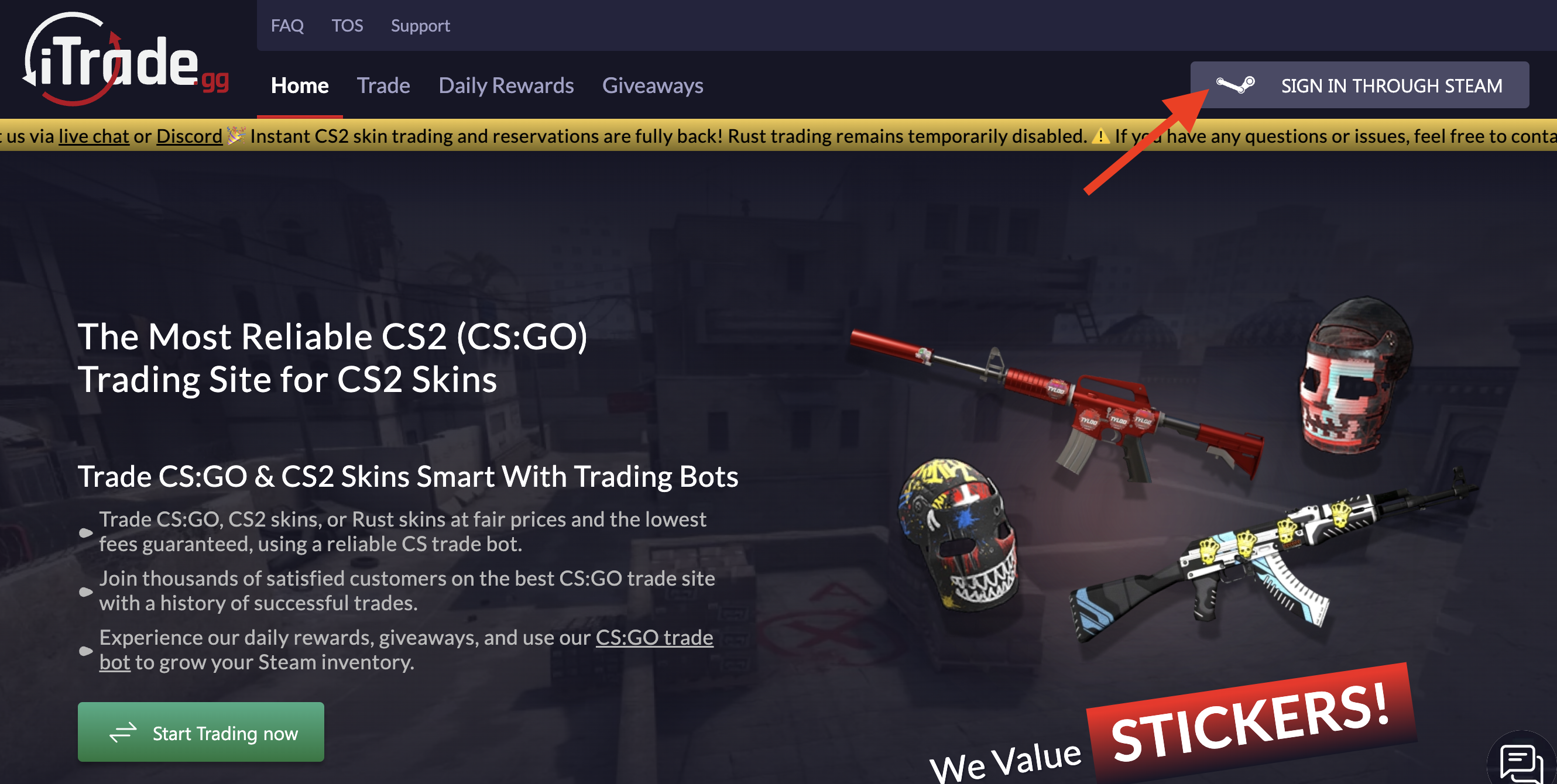
Go to iTrade.gg and click 'Sign In with Steam.' You'll authenticate through Steam's official page, which connects your skin inventory to the platform. No separate password needed—just Steam OAuth.
-
2

Configure Trade URL
Find your Steam Trade URL in Steam account settings and paste it into your iTrade.gg profile. This link lets the platform send and receive items securely. One wrong character and trades fail, so double-check it.
-
3

Deposit Funds or List Skins
To start trading, either deposit funds (credit card, crypto) or list skins directly for sale/trade. Deposits hit you with a 2.9% + $0.25 processing fee, so factor that in. Crypto deposits avoid some fees but depend on blockchain confirmation times.
-
4
Complete Your First Transaction
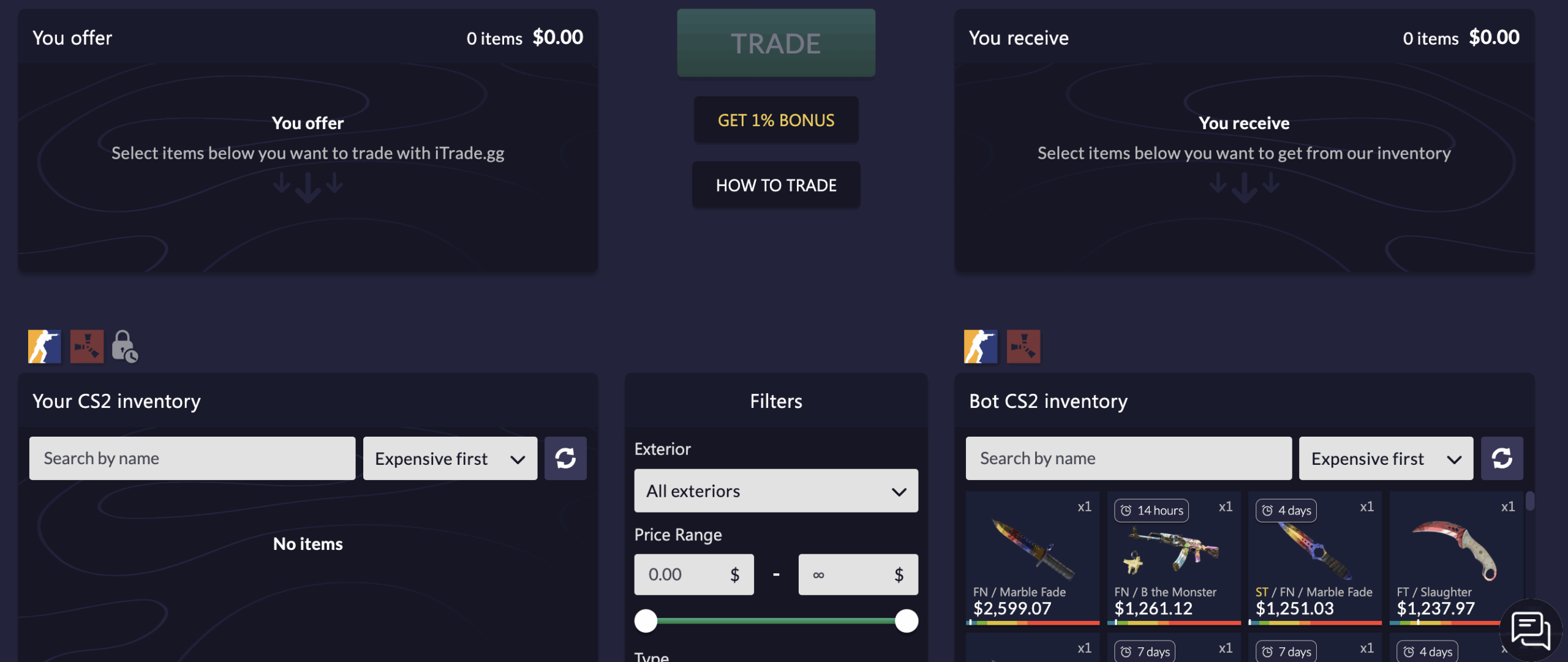
Browse available items or use instant-sell. Select your trade, confirm, and the system processes automatically. Trades execute fast—usually within seconds after Steam confirmation. No waiting for buyers, no manual approvals.
Security tip: Enable two-factor authentication on both Steam and iTrade.gg. Estonia-registered platforms operate with less oversight, so extra account security is on you.
FAQ About iTrade.gg
-
Is iTrade.gg legit and safe to use?
-
Can You Get Banned for Using iTrade.gg?
-
Does iTrade.gg Require KYC?
-
How Long Do Withdrawals Take?
-
Does iTrade.gg have a mobile app?




Average User Rating 5.0


Recent Comments
xXjeryXx - 5
Used iTrade to flip some Rust skins into a CS2 knife. Trade was stupid fast, like under a minute, but then I realized there's no way to actually cash out - just skins back to Steam.
238 days ago
Write your own review: