
Skinbaron
Quick Overview
SkinBaron is a Germany-based CS2 skin marketplace founded in 2016. It is designed for users who want to buy skins from a large inventory or sell skins for real money through a more traditional marketplace setup rather than instant selling or peer-to-peer trading.
Its biggest strengths are scale and trust. SkinBaron has over 1000000 skins listed, an estimated 824000 monthly users, and a very strong reputation score compared to many competitors. On the downside, its fee structure can be expensive for smaller sellers, and it does not offer a loyalty program or regular giveaways.
Fees
SkinBaron has a mixed fee structure. Buyers pay a fixed marketplace fee on top of the purchase amount, while sellers face very different fees depending on the item price. Deposits are free with bank transfer, but card and local payment methods add noticeable costs.
| Fee Type | Cost | Details |
|---|---|---|
| Buyer Fee | 5% + €0.35 | Applies as 5% of the transaction amount plus a fixed €0.35. |
| Seller Fee | 2% to 15% | Items priced at €999 or higher have a 2% fee. Items below €999 have a 15% fee. |
| Deposit Fee | 0% to 5% | Bank transfer (SEPA/SWIFT): 0%. Klarna: 5%. Credit card: 5% + €0.35. iDeal: 5%. |
| Withdrawal Fee | 0% | No platform withdrawal fee for bank transfer or SEPA withdrawals. |
The main thing to understand is that SkinBaron is much more attractive for higher-value sellers than for smaller ones. A 2% seller fee on items worth €999 or more is very competitive, but the 15% fee below that threshold is expensive. For buyers, the 5% fee plus €0.35 is straightforward, but it makes final prices less attractive than marketplaces with lower buyer-side costs.
Is SkinBaron Legit?
Yes, SkinBaron is a legit CS2 skin marketplace. It has been operating since 2016, is based in Germany, and has built one of the strongest reputation profiles in the skin trading space. It currently holds a Trustpilot rating of 4.6 out of 5 based on 3,866 reviews, which is a very strong trust signal for a third-party marketplace.
Community feedback is generally positive, especially around safety and reliability, although some users mention that items can sell slowly and that the platform is less appealing for smaller sellers because of the fee structure. Reddit and Steam community discussions usually describe SkinBaron as safe or trustworthy, with the main complaints focused more on speed, pricing, or verification friction than on the site being fraudulent.
As with other skin marketplaces, the biggest scam risks are not usually the marketplace itself but phishing links, fake websites, and account theft. SkinBaron appears to be a real and established business, but users should still verify the website address, confirm trade details carefully, and protect their Steam account before using any third-party platform.
Payment Methods at SkinBaron
SkinBaron supports several payment methods for deposits, but the withdrawal side is much narrower. That makes it convenient for buyers, especially in Europe, while sellers mainly cash out through bank-based methods.
| Payment Method | Deposit | Withdraw | Details |
|---|---|---|---|
| Klarna | Yes | No | 5% deposit fee. |
| Carte Bancaire | Yes | No | Available for deposits. Specific fee not separately listed beyond the general card-based structure provided. |
| Credit/Debit Card | Yes | No | 5% + €0.35 deposit fee. |
| iDeal | Yes | No | 5% deposit fee. |
| Google Pay | Yes | No | Available for deposits. No separate fee provided. |
| American Express | Yes | No | Available for deposits. Likely follows the card payment structure, but no separate fee was provided. |
| PayPal | Yes | No | Available for deposits. No separate fee was provided. |
| Bank Transfer | Yes | Yes | SEPA/SWIFT deposits have 0% fee. Withdrawals have 0% platform fee. |
| SEPA | Yes | Yes | Included under bank transfer methods. Deposit fee is 0%; withdrawal fee is 0%. |
For most users, bank transfer is the cheapest way to move money in and out of SkinBaron. Buyers who prefer cards or local checkout options get more flexibility, but they should expect noticeably higher deposit costs than with marketplaces that subsidize those payment methods more aggressively.
Final Verdict: Is It One of the Best Places to Buy CS2 Skins?
SkinBaron is one of the strongest marketplaces for users who value trust, huge inventory, and strong overall market activity. With more than 1,000,000 skins listed, 824,000 monthly users, and a 4.6 Trustpilot score from 3,866 reviews, it has a strong case as one of the best places to buy CS2 skins.
It is best for buyers who want a large marketplace and for sellers listing high-value skins, since the seller fee drops to 2% at €999 and above. It is less attractive for smaller sellers because the 15% fee under €999 is steep, and it is also not ideal for users who want rewards, loyalty perks, or broad withdrawal options. Overall, SkinBaron is a very solid marketplace, but its pricing works much better for some users than for others.
How To Get Started with SkinBaron
Getting started with SkinBaron is fairly simple. You need a Steam account to use the platform, and if you plan to cash out, you should also be ready to provide bank details and complete identity verification if requested.
Steam Account
CS2 Skins
-
1
Create Your Account
Sign up on SkinBaron and connect your Steam account. This is required so the platform can access your inventory and process item transfers.
-
2

Set Up Your Steam Trade Details
Add your correct Steam trade link and make sure your account is ready to send and receive items. Without accurate trade details, you will not be able to complete skin transfers properly.
-
3
Choose Whether You Want to Buy or Sell
Buyers can browse the marketplace and deposit funds using one of the supported payment methods. Sellers can list items and wait for them to sell through the marketplace.
-
4

Add Funds or List Your Items
If you are buying, choose your preferred deposit method and check the fee before paying. If you are selling, review the seller fee carefully, since items below €999 are charged much more heavily than items above that threshold.
-
5
Set Up Withdrawals
If you want to cash out, add your bank transfer or SEPA details. SkinBaron says it processes withdrawals within 24 hours, while bank transfers can take up to 3 business days to arrive.
FAQ About SkinBaron
-
Is Skinbaron Legit?
-
Can You Get Banned for Using SkinBaron?
-
Does SkinBaron Require KYC?
-
How Long Do Withdrawals Take?
Skinport
Quick Overview
Skinport is a Germany-based peer-to-peer CS2 skin marketplace launched in 2020. It allows users to buy and sell CS2 skins directly through the platform, with trades executed via automated bots for instant delivery. At any given time, there are over 3 million items listed, and the site attracts around 2.3 million monthly visits.
The platform is built around a simple model:
- Buyers pay 0% fees
- Sellers pay 6–8% commission (2% for private sales)
- No wallet balance system
- Withdrawals go directly to your bank account
- Instant item delivery after purchase
Skinport is best suited for:
- Buyers who want a clean checkout with no hidden buyer fees
- Users who prefer regulated, EU-based marketplaces
- Sellers who value liquidity and steady traffic
- High-value traders using private sales at 2% commission
It may not be ideal for:
- Users who want crypto payments
- Traders looking for internal wallet systems
- Sellers who want very low commission (below 5%)
Overall, Skinport focuses on clarity, fast execution, and high listing volume rather than flashy promotions or complex trading features.
Fees
Skinport keeps its fee structure simple compared to many other CS2 marketplaces. Buyers do not pay any added commission, while sellers pay a percentage of the final sale price. There is no wallet system, so there are no traditional deposit fees, and withdrawals are sent directly to your bank account.
Here’s the full breakdown:
| Fee Type | Amount | Details |
|---|---|---|
| Buyer Fee | 0% | Buyers pay exactly the listed price |
| Seller Fee | 6–8% | 6% on items sold above €1,000, 8% below €1,000 |
| Private Sale Fee | 2% | Direct buyer-to-seller private trades |
| Deposit Fee | 0% | No wallet system, pay directly at checkout |
| Withdrawal Fee | 0% | No fee from Skinport (bank may charge separately) |
| Instant Sell / Bot Delivery | Included | Trades execute instantly via Skinport bots |
Buyer Fee – 0%
Skinport does not charge buyers any additional commission. If a skin is listed at €100, you pay €100. This makes pricing predictable and avoids the 3–10% buyer markups seen on some marketplaces.
Seller Fee – 6–8%
Skinport charges a seller fee based on the item price:
- 8% for items sold below €1,000
- 6% for items sold above €1,000
This fee is already included in the final sale, meaning there are no extra hidden selling charges on top.
Examples:
- Selling a €100 skin → you receive €92
- Selling a €2,000 skin → you receive €1,880
Since Steam does not allow real money withdrawals and charges around 15%, Skinport is a more cost-efficient option for sellers looking to cash out.
Private Sale Fee – 2%
If you arrange a direct private transaction with a specific buyer, Skinport charges only 2%, regardless of item value. This is especially attractive for high-value trades.
Deposit Fee – 0%
Skinport does not use a stored wallet system. Buyers pay directly at checkout using supported payment methods (such as PayPal, cards, or Apple Pay depending on region). There is no extra platform deposit charge.
Withdrawal Fee – 0%
Skinport does not charge a withdrawal fee when sending funds to your bank account. However, your bank may apply standard transfer or currency conversion costs.
Instant Delivery
All purchases are executed through automated bot accounts. Once payment is confirmed, the trade offer is sent immediately, with no extra trading or “instant sell” fee.
Is Skinport Legit?
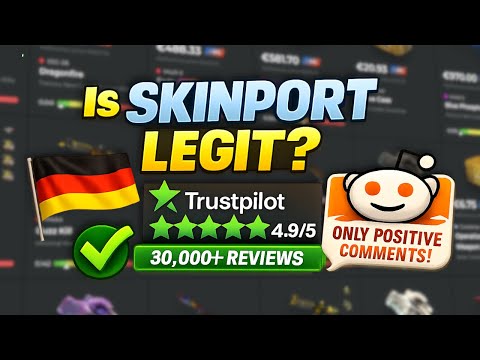
Yes — Skinport is a legit CS2 skin marketplace. It’s a real, registered company (Skinport GmbH) based in Stuttgart, Germany, and it has a strong public track record.

Years in operation
Skinport’s company entity dates back to 2018, and the marketplace brand “Skinport” has been active since May 2020 (it was previously known as Skinbay).
Community reputation
Skinport is widely seen as a “safe” option among mainstream marketplaces because it uses bot-based delivery (so you’re not waiting on a random seller to accept a trade) and it runs under an EU-based company structure.
Trustpilot score
On Trustpilot, Skinport shows a 4.9/5 TrustScore with 35,000+ reviews (35,138 at the time of this check).
Reddit feedback (what people complain about vs praise)
On Reddit, the most common positive points are easy buying without a deposit wallet and overall smooth use. The most common complaints are “insta-buy”/sniping bots getting good deals first and occasional KYC/payout friction.
Known scams linked to Skinport (and what’s really happening)
The main “Skinport scams” people report are usually not Skinport stealing items — they’re impersonation and account-takeover scams, like:
- Phishing sites that look like Skinport to steal Steam logins
- Fake bot accounts / trade redirection caused by Steam API-key scams (attackers swap the trade partner after you start a legit trade)
If you use the real domain, verify the bot/trade partner, keep Steam Guard on, and never share/generate API keys for random sites, these risks drop a lot.
Payment Methods at Skinport
Skinport works a bit differently from many CS2 marketplaces: there’s no “deposit wallet” for buyers. Instead, you pay directly at checkout when you buy a skin. Sellers, on the other hand, can cash out only via bank transfer (Skinport does not offer PayPal or card withdrawals).
Here’s a clear view of what you can use for buying (checkout) and what you can use for withdrawing sale money:
| Payment Method | Buy Skins (Checkout) | Withdraw Earnings | Fees / Notes |
|---|---|---|---|
| PayPal | ✅ | ❌ | Availability depends on your location and what’s shown at checkout. |
| Visa | ✅ | ❌ | Card payments are available depending on region. |
| Mastercard | ✅ | ❌ | Shown at checkout where supported (region-based). |
| American Express | ✅ | ❌ | Shown at checkout where supported (region-based). |
| Apple Pay | ✅ | ❌ | Available where Apple Pay is supported; designed for fast checkout. |
| Bank Transfer (Payout) | ❌ | ✅ | Skinport only supports payouts via bank transfer. Skinport charges 0% payout fees (your bank may charge). |
What this means in practice
- Buyers: you don’t top up a balance first. You simply select a skin and pay at checkout using the methods shown for your region.
- Sellers: after a sale, you can withdraw to your linked bank account. Skinport says payouts are bank transfer only, with no payout fee from Skinport.
If you don’t see PayPal (or any method) on your end, it’s usually because Skinport shows payment methods based on location and checkout settings.
If PayPal is your preferred payment method, not every CS2 marketplace supports it consistently. You can compare other PayPal-friendly platforms in our guide to the best sites where to buy CS2 skins with PayPal.
Final Verdict: Is It One of the Best Places to Buy CS2 Skins?
Yes — Skinport is one of the best places to buy CS2 skins if you value safety, instant delivery, and zero buyer fees.
It stands out because buyers pay 0% fees, trades are executed instantly through bots, and the company operates under a regulated German entity. With millions of listings and strong liquidity, it’s one of the most stable high-volume marketplaces in the CS2 space.
Who Should Use Skinport
- Buyers who want to pay exactly the listed price (no added buyer fee)
- Users who prefer EU-regulated platforms
- Sellers who value liquidity and steady traffic
- High-value traders using 2% private sale commission
- Players who want instant item delivery
Who Should Avoid Skinport
- Sellers looking for ultra-low fees (under 5%)
- Users who prefer crypto payments
- Traders who want an internal wallet balance system
- Users in countries where payouts are restricted
Overall Assessment
Skinport focuses on clarity and execution speed rather than complex trading features. You don’t get flashy reward systems or crypto flexibility, but you do get:
- Transparent fees
- High traffic
- Instant trades
- Strong reputation
If your priority is safe, straightforward buying, Skinport comfortably belongs in the conversation when discussing the best places to buy CS2 skins.
For users who want lower seller fees or different payment options, it may be worth comparing alternatives — but for most casual buyers and mid-to-high volume traders, Skinport remains a top-tier choice.
How To Get Started wtih Skinport
Getting started on Skinport is straightforward, but there are a few important steps to complete before you can buy or sell smoothly. Because it’s a regulated EU marketplace, identity verification is required for payouts. Here’s the full process.
Steam Account
Email, Phone, Computer Device
-
1

Create Your Account
Visit Skinport and sign up with an email and password. Link your Steam account since trades run through Steam's system. Confirmation email arrived in about 2 minutes for me. Once verified, you can browse listings and add items for sale immediately. No major geographic restrictions, though payment methods vary by region.
-
2
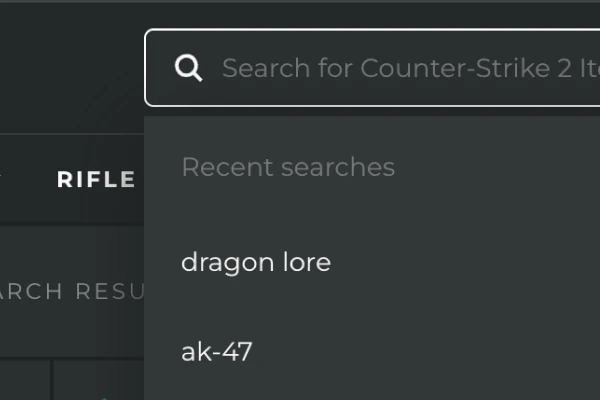
Complete Identity Verification
Skinport uses tiered KYC verification for payment compliance. At minimum, you'll provide your legal name, address, and date of birth. Higher tiers require uploading a government ID and sometimes proof of address. My verification cleared in about 15 minutes (automated), though manual checks can stretch to a few hours. This step is required before withdrawals.
-
3
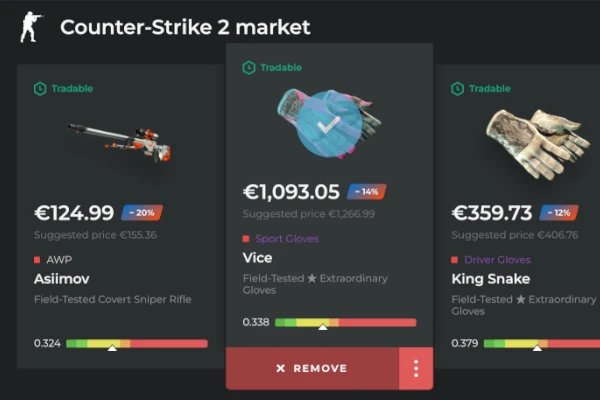
Configure Security Settings
Link your Steam trade URL and enable Steam Mobile Authenticator for instant trade confirmation. Skinport also supports 2FA via email or mobile for login security. Setting these up prevents unauthorized trades and withdrawal delays.
-
4
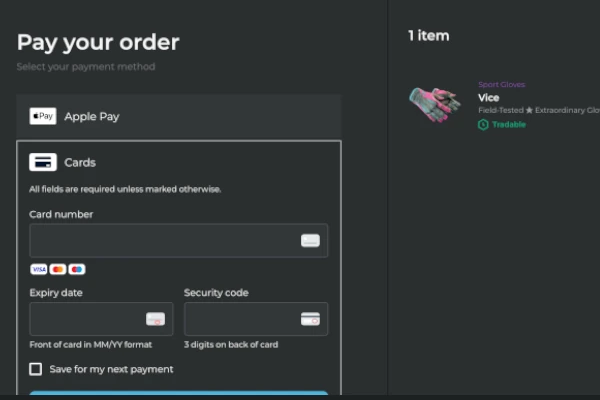
Make Your First Transaction
Select an item to buy or list one from your Steam inventory. Minimum purchase is €2, but I started with a $10 test to familiarize myself with the flow. Purchases are instant—once paid, the item delivers through Skinport's bot system in seconds. Sellers see proceeds credited to their balance for withdrawal.
-
5
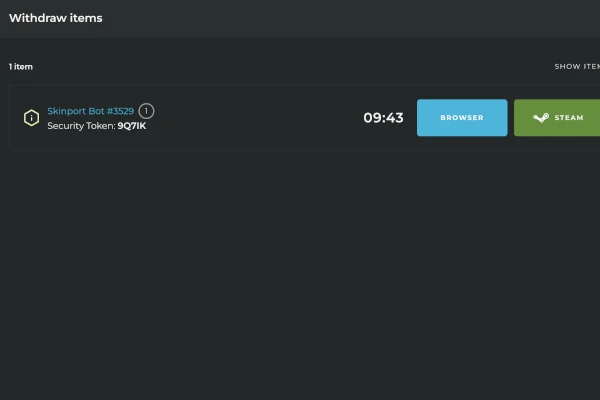
Set Up Withdrawal Methods
Withdrawals go via direct bank transfer. Bank payouts require basic KYC verification. Processing times: bank transfers complete in 1-3 business days depending on country. No withdrawal fees from Skinport, though your bank may apply standard charges.
Common Questions About Skinport
-
Can You Get Banned for Using Skinport?
-
Does Skinport Require KYC?
-
How Long Do Withdrawals Take?
-
How Many Skins Are Listed on Skinport?
-
What Is Skinport’s Trustpilot Score?
-
Does Skinport Support PayPal?
-
Does Skinport have instant sell?
-
Does Skinport take PayPal?