
Buff.163
Quick Overview
Buff.163 is a peer to peer CS2 skins marketplace based in Hong Kong, launched in 2017. The platform also supports Dota 2 items. Buff.163 is known for deep liquidity and prices that often beat many western marketplaces, but access is restrictive for users outside China.
Buff.163 fits you if you want maximum selection and strong price discovery, since the platform lists around 50,000,000 skins and reports about 2,500,000 monthly visits. Buff.163 is a poor fit if you live outside China and want normal selling and cash flow, since multiple reports and user reviews describe restrictions introduced in 2023 that limit selling and cash in or cash out for non Chinese users.
Fees
Fees affect your net payout on sales and the total cost of moving funds in and out. Buff.163 lists a 0% buyer fee, a 2.50% seller fee, 0.00% deposit fee, and a 1.00% withdrawal fee in the provided data.
| Fee type | Cost | Details |
|---|---|---|
| Buyer fee | 0% | Listed as 0% for buyers. |
| Seller fee | 2.50% | Applies when you sell items in the P2P market. |
| Deposit fee | 0.00% | Listed as 0% in the provided data. |
| Withdrawal fee | 1.00% | Listed as 1% in the provided data. |
Is Buff.163 Legit?
Yes. Buff.163 shows long operating history and massive marketplace scale. The largest risk is not legitimacy, it is access. Reports in 2023 and 2024 describe changes that limit selling outside China, plus limits on cash in and cash out for international users.
Years in operation: Buff.163 launched in 2017.
Community reputation: Buff.163 used to rank among the biggest CS skin markets worldwide, and many traders still use it for low prices. Since restrictions rolled out in 2023, international participation dropped and the platform feels more secluded for non Chinese users.
Trustpilot score: 2.8 based on 91 reviews.
Payment Methods at Buff.163
Buff.163 payments focus on Chinese payment rails. The provided data lists Alipay and WeChat for both deposits and withdrawals. International users often hit limits on adding or withdrawing funds without Chinese resident verification, based on multiple market guides and user reports.
| Payment method | Deposit | Withdraw | Details |
|---|---|---|---|
| Alipay | Yes | Yes | Main payment rail listed for funding and withdrawals. |
| Yes | Yes | Main payment rail listed for funding and withdrawals. |
Final Verdict: Is It One of the Best Places to Buy CS2 Skins?
Buff.163 is still a top pick for prices and selection, with around 50,000,000 skins listed and about 2,500,000 monthly visits. If you live in China and use Alipay or WeChat, Buff.163 often delivers some of the lowest prices due to scale and competition.
Buff.163 is a poor pick for most non Chinese users. Reports in 2023 and 2024 describe restrictions that block or limit selling outside China and restrict cash in or cash out for international users, which cuts practical usability even if browsing stays possible.
For an internal list of best places to buy cs2 skins, Buff.163 fits as a price leader with extreme access limits outside China.
How To Get Started with Buff.163
Setup focuses on account creation, Steam connection, then funding through the supported payment rails.
Step 1: Create an account
Register on Buff.163 and secure your account with a strong password and available security options.
Step 2: Connect Steam
Link your Steam account through the official Buff.163 login flow, then confirm your Steam trade settings support item transfers.
Step 3: Prepare payments
Set up Alipay or WeChat for funding and withdrawals. If you are outside China, expect added friction and limits on funding, cashout, or selling based on market reports and user feedback.
Step 4: Buy or sell items
Browse listings and buy with a listed 0% buyer fee. If selling is available on your account type, account for the 2.50% seller fee when you set prices.
FAQ About Buff.163
-
Can You Get Banned for Using Buff.163?
-
Does Buff.163 Require KYC?
-
How Long Do Withdrawals Take?
Pirateswap
Quick Overview
PirateSwap is a CS2 skin marketplace that allows players to trade Counter-Strike 2 skins instantly using trading bots or sell their skins instantly. Unlike peer-to-peer markets where items remain in the seller’s inventory, PirateSwap operates more like a store-style platform with automated bot trading and instant sell functionality.
Launched in 2023, the marketplace focuses on fast transactions and simple trading. Users can purchase skins directly from the site’s inventory or instantly sell skins to the platform for a percentage of their value. This makes PirateSwap appealing for players who want quick cashouts or instant purchases without waiting for a buyer.
The platform supports several payment options including crypto, credit or debit cards, bank transfers, and e-wallets such as Skrill and Neteller, making it accessible for users in many regions.
PirateSwap is best suited for:
- players who want to buy CS2 skins instantly without waiting for a seller
- users who prefer bot-based trading instead of peer-to-peer marketplaces
- sellers looking for instant cashout options
- players who want multiple payment options when purchasing skins
With around 1 million available skins and roughly 1 million monthly visits, PirateSwap has quickly grown into a noticeable option among newer CS2 skin marketplaces.
Fees
PirateSwap uses a slightly different fee structure compared with peer-to-peer CS2 skin markets. Because the platform operates as a store-style marketplace with bot trading and instant sell, the fees mainly apply to trading and cashout features rather than standard buyer and seller commissions.
Below is an overview of the main fees on PirateSwap.
| Fee Type | Amount | Details |
|---|---|---|
| Trading Fee | 3% | Applied when trading skins through the platform |
| Instant Sell | 70% | The average of the Skins’s cash value received by the users. |
| Deposit Fee | 0% | Depositing funds does not include a platform fee |
| Withdraw Fee | 0.3% - 3% | Depends on the withdrawal method |
The 3% trading fee applies when users trade skins through the platform’s automated system. This is typical for bot-based marketplaces that manage trades internally.
PirateSwap also offers an instant sell option, where users can quickly sell skins to the platform without waiting for a buyer. In this case, sellers usually receive around 70% of the skin’s cash value, which is the trade-off for getting immediate liquidity.
Deposits are free on the platform, while withdrawals usually range between 0.3% - 3% depending on the payment method used.
Is PirateSwap Legit?
Yes, PirateSwap appears to be a legitimate CS2 skin marketplace, although it is still relatively new compared with some long-established skin trading platforms.

- Years in operation: PirateSwap launched in 2023, making it one of the newer marketplaces in the CS2 skin trading ecosystem. While it does not have the long operating history of older platforms, it has already gained a noticeable user base.
- Community reputation: The platform attracts around 1 million monthly visits, indicating that many players actively use it for buying and selling skins. PirateSwap focuses on fast bot-based trading and instant sell features, which appeals to users who want quick transactions.
- Trustpilot score: PirateSwap currently holds a 4.6 Trustpilot rating based on more than 3774 reviews, which is generally considered a strong rating for a marketplace in the CS2 skin trading space.
- Reddit feedback: Feedback on Reddit and CS2 trading communities often mentions PirateSwap as a convenient option for quick purchases and instant sell transactions. Since the site uses automated trading bots, users usually highlight the speed of trades as one of its main advantages.
- Known scams associated with the marketplace: As with most CS2 trading platforms, scams are usually related to fake impersonation sites or phishing attempts, rather than the official marketplace itself. Users should always verify the website URL and confirm Steam trade offers before accepting them.
Overall, PirateSwap appears to be a legitimate marketplace for buying and selling CS2 skins, although its shorter operating history means users may want to approach it with the same caution they would apply to any newer trading platform.
Payment Methods at PirateSwap
PirateSwap supports several payment options that allow users to deposit funds to buy skins and withdraw balance after selling items. The platform focuses on offering a wide range of payment methods so users from different regions can access the marketplace easily.
Below is an overview of the payment methods available on PirateSwap.
| Payment Method | Deposit | Withdraw | Details |
|---|---|---|---|
| Cryptocurrency | Yes | Yes | Common option for both deposits and withdrawals |
| Credit / Debit Card | Yes | No | Used for buying skins instantly |
| Bank Transfer | Yes | No | Available in supported regions |
| Skrill | Yes | No | E-wallet deposit option |
| Neteller | Yes | No | E-wallet deposit option |
| Neosurf | Yes | No | Prepaid voucher deposit method |
| Google Pay | Yes | No | Mobile payment option |
| Sofort | Yes | No | Bank-based payment method in supported countries |
| Trustly | Yes | No | Instant bank payment system |
| Blik | Yes | No | Mobile payment method in supported regions |
Depositing funds allows users to buy CS2 skins instantly from the marketplace inventory. Most payment methods are designed for quick deposits so players can complete purchases without waiting.
Withdrawals are primarily handled through cryptocurrency transfers, which allows users to cash out their marketplace balance after selling skins or using the instant sell feature.
Because PirateSwap operates with bot-based trading, skins purchased on the marketplace are usually delivered through Steam trade offers once the purchase is confirmed.
Final Verdict: Is It One of the Best Places to Buy CS2 Skins?
PirateSwap is a newer CS2 skin marketplace that focuses on fast purchases, bot-based trading, and instant sell options. The platform is designed for players who want quick transactions without waiting for buyers or negotiating prices on a peer-to-peer marketplace.
One of the main advantages of PirateSwap is its instant sell feature, which allows users to sell skins immediately and receive around 70% of the skin’s cash value. This makes it useful for players who want quick liquidity instead of waiting for a buyer. The marketplace also supports many payment methods, including crypto, cards, bank transfers, and e-wallets.
However, because PirateSwap launched in 2023, it does not yet have the long operating history of older CS2 skin marketplaces. Some traders may still prefer larger peer-to-peer markets with bigger listings and deeper trading volume.
PirateSwap is a good choice for:
- players who want to buy CS2 skins instantly from a store-style marketplace
- users who prefer bot-based trading instead of peer-to-peer listings
- sellers looking for fast instant sell options
- players who want many deposit methods
PirateSwap may not be ideal for:
- traders searching for rare skins with very specific float values
- users who prefer large peer-to-peer marketplaces with extensive listings
- players who want a marketplace with a long operating history
Overall, PirateSwap can be a convenient platform for quick purchases and instant skin sales. While it is still relatively new, its trading system and payment options make it a practical alternative among the best websites to buy CS2 skins, especially for users who value speed and simplicity.
How To Get Started with PirateSwap
Getting started with PirateSwap is quick and does not require complicated setup. Since the platform uses bot-based trading, skins are transferred automatically through Steam trade offers once a purchase or sale is completed. Below are the main steps to begin using the marketplace.
-
1

Sign In with Your Steam Account
Go to the PirateSwap website and click the Sign in through Steam button. This connects your Steam account and allows the platform to access your Steam inventory and trade link so skins can be transferred safely.
-
2

Add Your Steam Trade Link
After logging in, make sure your Steam trade URL is added to your account settings. This allows the trading bots to send or receive skins when you buy or sell items.
-
3
Add Balance to Your Account
To buy skins, deposit funds using one of the supported payment methods such as crypto, credit or debit card, bank transfer, or e-wallets. Once the payment is confirmed, the balance will appear in your PirateSwap wallet.
-
4

Buy Skins from the Marketplace
Browse the marketplace and choose the skins you want to purchase. Since PirateSwap works like a store marketplace, you can buy skins instantly without waiting for a seller. After purchasing, you will receive a Steam trade offer from the trading bot, which delivers the skin directly to your inventory.
-
5

Sell Skins or Use Instant Sell
If you want to sell skins, you can either list them for trade or use the instant sell feature. Instant sell allows you to quickly convert skins into marketplace balance, usually for around 70% of the skin’s cash value.
-
6
Withdraw Your Balance
After selling skins, you can withdraw your balance using cryptocurrency, which is the primary withdrawal method available on PirateSwap.
Once your account is set up, you can continue buying, selling, or instantly cashing out skins through the platform’s trading system.
Alternatives to PirateSwap
While PirateSwap offers fast bot-based trading and instant skin sales, it is not the only option available for buying or selling CS2 skins. Several other marketplaces provide different trading models such as peer-to-peer trading, marketplace listings, or higher instant sell payouts.
Depending on what you are looking for—lower fees, a larger skin inventory, or better instant sell rates—these platforms may be good alternatives to PirateSwap.
Below are some of the most popular CS2 skin marketplaces that players commonly use.
| Marketplace | Type | Key Feature | Buyer Fee | Seller / Trading Fee | Withdraw Methods |
|---|---|---|---|---|---|
| Skinport | P2P marketplace | One of the largest CS2 skin markets in Europe | 0% | 6-8% selling fee | Bank transfer, SEPA |
| CSFloat | P2P marketplace | Large float database and over 3M monthly users | 0% | 2% seller fee | Crypto, Bank transfer |
| DMarket | Marketplace | Often lists skins below Steam Market prices | 2.5% | 2% seller fee | Crypto, PayPal, Payoneer, SEPA, Revolut |
| Tradeit.gg | Bot marketplace | Instant sell up to ~83% of skin value | Included in price | ~20% trading fee | Crypto, Bank transfer, Revolut, SEPA |
| Skinflow | Trading marketplace | Instant sell around 80% of skin value | Included in price | ~20% trading fee | Crypto, PayPal, Payoneer |
Each marketplace has different strengths. Platforms like Skinport and CSFloat focus on peer-to-peer trading with lower seller fees, while sites like Tradeit.gg and Skinflow emphasize quick transactions and instant sell options.
If you are comparing platforms, it is worth looking at fees, available skins, withdrawal options, and instant sell percentages to determine which CS2 skin marketplace best fits your needs.
Common Questions About Pirateswap
-
Is Pirateswap legit and safe to use?
-
Can You Get Banned for Using PirateSwap?
-
Does PirateSwap Require KYC?
-
How Long Do Withdrawals Take?
-
Can You Trade on PirateSwap?
Haloskins
Quick Overview
Haloskins is a CS2 skin marketplace launched in 2023 and based in Hong Kong. It allows users to buy and sell Counter-Strike 2 skins using both traditional payment methods and cryptocurrency. Unlike bot-only trading platforms, Haloskins works as a listing marketplace where sellers post items and buyers purchase them directly.
The platform currently offers around 1,500,000 available skins and receives approximately 150,000 monthly visits. It holds a 4.0 rating on Trustpilot based on 150 reviews, which places it in the mid-range in terms of public reputation among newer marketplaces.

Haloskins is best suited for:
- Buyers who want to purchase CS2 skins using credit/debit cards, PayPal, bank transfers, SEPA, or crypto
- Sellers looking for a low 3% seller fee
- Users who prefer multiple crypto network options (USDT and USDC across TRC20, BEP20, and ERC20)
- International users who want flexible payment options
It may be less ideal for users looking for loyalty programs or regular giveaways, as those features are not currently part of the platform.
Fees
Understanding the fee structure is important before buying or selling on Haloskins. The platform keeps pricing relatively simple compared to many competitors. Buyers are not charged a marketplace fee, while sellers pay a fixed commission. Deposit and withdrawal fees depend on the payment method and network used.
Below is a full breakdown of the known fees.
| Fee Type | Details |
|---|---|
| Buyer Fee | 0% marketplace fee for buyers. |
| Seller Fee | 3% commission on completed sales. |
| Trading Fees | Not applicable (standard marketplace model, not bot trading). |
| Insta Sell | Not provided. |
| Deposit Fees | Varies by method (see breakdown below). |
| Withdraw Fees | 0.005% + $0.5 (crypto withdrawals). |
What This Means for Users
- Buyers benefit from 0% marketplace fees, which can make pricing competitive.
- Sellers pay a relatively low 3% commission, which is lower than many large marketplaces.
- Crypto network choice matters — ERC20 options include higher fixed fees ($15), while BEP20 options are cheaper.
- Card deposits are especially attractive since they currently have 0% deposit fees.
Overall, Haloskins offers a competitive fee structure, particularly for sellers and card users.
Is Haloskins Legit?
Yes, Haloskins appears to be a legitimate CS2 marketplace, but as a newer platform (launched in 2023), it is still building long-term trust compared to older competitors.
Here is a clear breakdown of key trust factors:
Years in Operation
Haloskins was launched in 2023, which means it has been operating for a relatively short period. While this does not indicate risk by itself, newer marketplaces naturally have a shorter track record.
Community Reputation
With around 150,000 monthly visits and 1.5 million listed skins, Haloskins has gained moderate visibility in the CS2 trading space. It is generally seen as a growing marketplace rather than an industry leader.
Trustpilot Score
- 4.0 out of 5 stars
- Based on 150 reviews
A 4.0 rating is solid but not exceptional. The review volume is reasonable for a platform launched in 2023.
Reddit Feedback
Reddit discussions around Haloskins are limited compared to larger platforms. Most mentions focus on:
- Competitive seller fees (3%)
- Wide range of crypto payment options
- New platform status
As always, users recommend checking trade confirmations carefully and verifying official links before logging in.
Known Scams Associated with Haloskins
There are no major publicly documented scam cases directly tied to Haloskins.
However, common risks in the CS2 marketplace space include:
- Phishing websites copying marketplace branding
- Fake support accounts
- Impersonator trade bots
These risks are industry-wide and not specific to Haloskins. Users should always verify:
- The official domain (haloskins.com)
- Steam trade offers before accepting
- Payment details when using crypto networks
Overall, based on available data, Haloskins appears legitimate, though its shorter history means users should approach it with normal marketplace caution.
Payment Methods at Haloskins
Haloskins supports a wide range of payment methods, including traditional banking options and multiple crypto networks. This makes it more flexible than many bot-only marketplaces.
Below is a clear breakdown of which methods are available for deposits and withdrawals.
Deposit and Withdrawal Methods
| Payment Method | Deposit | Withdraw | Details |
|---|---|---|---|
| Credit/Debit Card | Yes | No | 0% deposit fee |
| Bank Transfer | Yes | No | 1% + $0.26 deposit fee |
| SEPA | Yes | No | 2% + $0.26 deposit fee |
| PayPal | Yes | No | Deposit supported (fee not specified) |
| USDT (Cryptomus) | Yes | Yes (Crypto) | 1% deposit fee |
| USDT TRC20 | Yes | Yes (Crypto) | 1% + $5 deposit fee |
| USDT BEP20 | Yes | Yes (Crypto) | 1% deposit fee |
| USDT ERC20 | Yes | Yes (Crypto) | 1% + $15 deposit fee |
| USDC TRC20 | Yes | Yes (Crypto) | 1% + $5 deposit fee |
| USDC BEP20 | Yes | Yes (Crypto) | 1% deposit fee |
| USDC ERC20 | Yes | Yes (Crypto) | 1% + $15 deposit fee |
What This Means for Users
- Card deposits are attractive due to 0% deposit fees.
- SEPA and bank transfers are available, making it accessible for EU users.
- Crypto users must choose networks carefully — ERC20 options carry high fixed fees ($15), while BEP20 options are cheaper.
- Withdrawals are processed via crypto only.
Overall, Haloskins offers strong deposit flexibility, especially for users who prefer traditional payment methods combined with crypto withdrawal options.
Final Verdict: Is It One of the Best CS2 Marketplaces to Buy CS2 Skins?
Haloskins is a competitive option, especially considering it launched in 2023 and already lists 1.5 million skins with around 150,000 monthly visits.
Who Should Use Haloskins?
- Buyers who want 0% marketplace fees
- Sellers looking for a relatively low 3% selling commission
- Users who prefer card, bank, SEPA, PayPal, or crypto deposits
- Traders comfortable withdrawing via crypto
The wide payment support makes it accessible to international users, and card deposits with 0% fees are a strong advantage.
Who Should Avoid It?
- Users who want long-established marketplaces with many years of history
- Traders who prefer fiat withdrawals instead of crypto
- Users looking for loyalty programs or regular platform giveaways
Because the platform is still relatively new (launched in 2023), some users may prefer marketplaces with a longer track record.
Overall Assessment
Haloskins offers competitive buyer and seller fees, strong payment flexibility, and a large skin inventory. While it may not yet dominate the market, it is a solid alternative worth considering.
If you’re comparing cs2 marketplaces, it’s helpful to review other cs2 markets where to buy skins to see which fee structure, payment options, and reputation level fit your needs best.
How To Get Started with Haloskins
Getting started on Haloskins is straightforward. Since it operates as a marketplace rather than a pure bot trading site, you’ll need both a Steam account and a payment method if you plan to buy skins.
Steam account with Mobile Authenticator
Email and payment method (crypto/Revolut/card)
-
1
Create Your Account
Register on Haloskins using Steam or email. After submitting, you'll receive verification email—usually arrives in 1-2 minutes but can take up to 10 during peak times. Once confirmed, you can browse listings and view pricing.
-
2

Connect Steam Trade URL
Before trading, link your Steam trade URL and ensure Steam Mobile Authenticator is active. This is mandatory for CS2 skin transfers. Haloskins recommends enabling two-factor authentication (2FA) for account login. Missing authenticator configs can delay or cancel trades.
-
3

Make Your First Transaction
Choose whether to buy or sell a skin. For new users, start with $5-10 test transaction to familiarize yourself with the process. Sellers list items directly through Steam inventory, buyers complete checkout via chosen deposit method. Trades typically settle within minutes once both parties confirm.
-
4
Set Up Withdrawal Methods
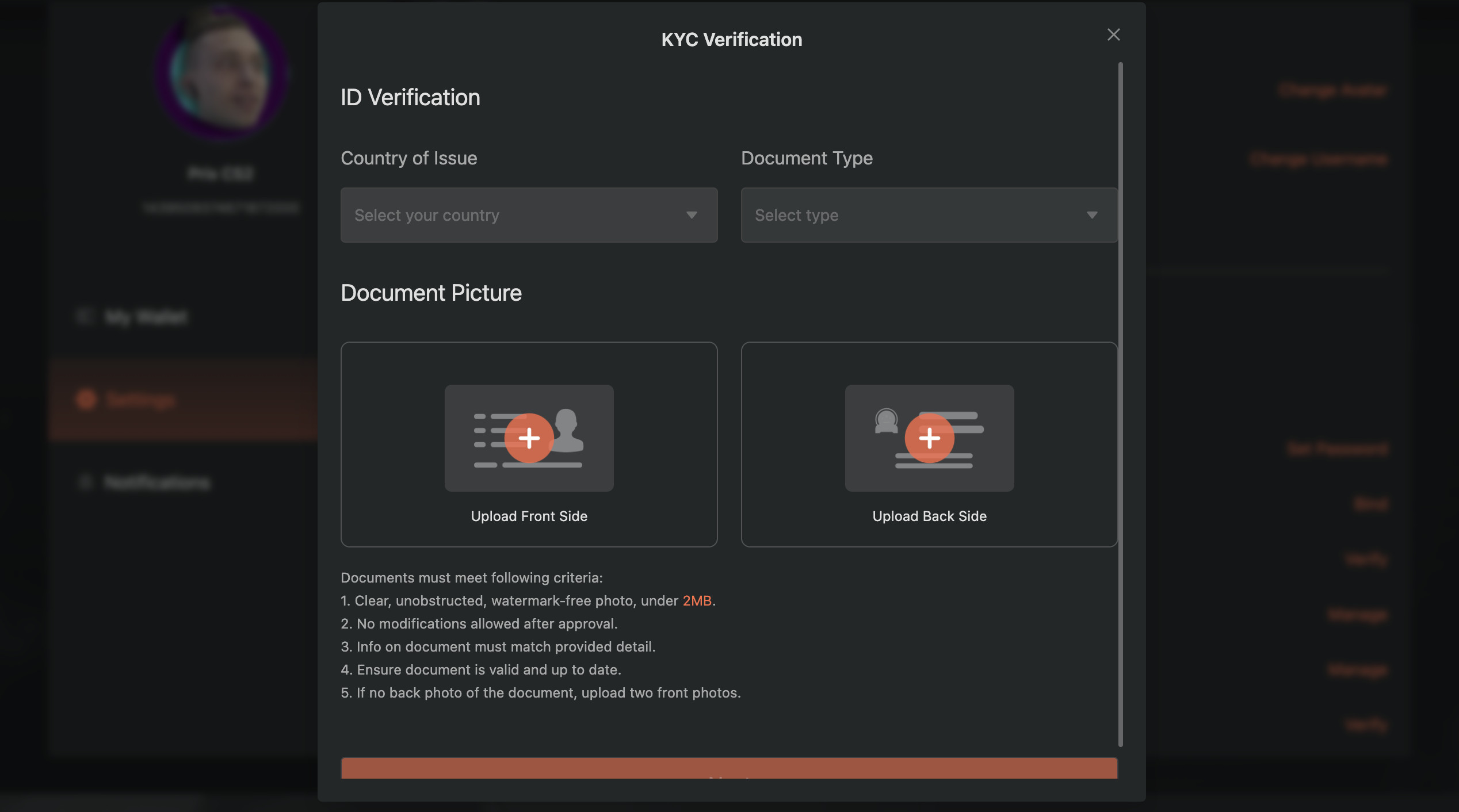
Haloskins currently supports crypto withdrawals only with 0.005% + $0.50 fees. You can only withdraw after completing KYC verification. This is necessary to comply with anti-money laundering rules—required for the marketplace to operate legally.
Common Questions About Haloskins
-
Is Haloskins legit and safe to use?
-
What's the seller fee on Haloskins?
-
What's the buyer fee on Haloskins?
-
What's the withdraw fee on Haloskins?
-
Does Haloskins have a mobile app?
Bitskins
Quick Overview
Bitskins is a CS2 skins marketplace based in Hong Kong, launched in 2015. Bitskins runs as a classic marketplace, where you buy from listings and sell by listing your items for other users. Bitskins also supports Dota 2 skins.
Bitskins fits you if you want high liquidity and large selection, since it lists around 1,300,000 skins and reports about 573,700 monthly visits. Bitskins also fits you if you want low friction buying, since the buyer fee is listed as 0%.
Fees
Fees shape your final checkout price, your net payout after selling, and the total cost to cash out.
| Fee type | Cost | Details |
|---|---|---|
| Buyer fee | 0% | Pay what you see. No hidden payment fees. |
| Seller fee | 5% - 10% | Applies when you sell items on the marketplace. |
| Deposit fee | 0% | Again, no hidden payment fees. You pay the number that the skin is listed for. |
| Withdrawal fee | 1 - 4% | Fee depends on the withdrawal method and amount, with method specific fixed charges and limits. |
| Withdrawal method | Fee | Minimum | Maximum |
|---|---|---|---|
| BTC | $25 + 4% | $100 | $5,000 |
| LTC | $1 + 4% | $5 | $5,000 |
| Binance | 1% | $1 | $5,000 |
| Bank | 3% + $1.10 | $5 | $1,000 |
Is Bitskins Legit?
Yes. Bitskins shows long operating history, large marketplace scale, and a sizable third party review sample.
Years in operation: Bitskins launched in 2015.
Community reputation: Bitskins reports about 573700 monthly visits and around 1300000 skins available, which supports strong liquidity.
Trustpilot score: 3.9 based on 2111 reviews.
Payment Methods at Bitskins
Bitskins supports multiple deposit routes for buying and multiple cashout routes for withdrawals. Deposit options include card and several partner payment options, plus Binance and crypto. Withdrawal options focus on crypto, Binance, and bank rails, including SEPA.
| Payment method | Deposit | Withdraw | Details |
|---|---|---|---|
| Credit or Debit Card | Yes | No | Deposit supported. |
| Zen Pay | Yes | No | Deposit supported. |
| G2A | Yes | No | Deposit supported. |
| Kinguin | Yes | No | Deposit supported. |
| Binance | Yes | Yes | Withdraw fee: 1%. Minimum $1, maximum $5,000. |
| Crypto | Yes | Yes | BTC and LTC withdrawal fees listed in the withdrawal table. |
| Bank Transfer | No | Yes | Withdraw fee: 3% + $1.10. Minimum $5, maximum $1,000. |
| SEPA | No | Yes | SEPA supported as a withdrawal route. |
How To Get Started with Bitskins
Setup is straightforward. You create an account, connect Steam, deposit, then buy or list items for sale.
Steam Account
CS2 Skins
-
1
Create an account
Open Bitskins and register. Use a strong password and enable available account security options.
-
2
Connect Steam
Sign in through Steam on Bitskins and confirm the site address before you approve Steam login.
-
3

Prepare Steam trading
Confirm Steam Guard status and trading access. Resolve trade restrictions before your first purchase or sale.
-
4
Deposit funds
Choose a deposit method such as Credit or Debit Card, Zen Pay, G2A, Kinguin, Binance, or crypto. Deposit fee is listed as 0.00%.
-
5
Buy skins or sell through listings
Browse listings and buy with a 0% buyer fee. If you sell, list your items and account for the 5% - 10% seller fee when you set prices.
-
6
Withdraw your funds
Select a withdrawal rail based on cost and limits. Examples: Binance withdrawals list 1% with $1 minimum and $5,000 maximum. Bank withdrawals list 3% plus $1.10 with $5 minimum and $1,000 maximum. BTC withdrawals list $25 plus 4% with $100 minimum and $5,000 maximum. LTC withdrawals list $1 plus 4% with $5 minimum and $5,000 maximum.
FAQ About Bitskins
-
Can You Get Banned for Using Bitskins?
-
How Long Do Withdrawals Take?