
Skin.place
Quick Overview
Skin.place is a CS2 skin marketplace launched in 2021 that allows users to buy, sell, and instantly cash out skins. It operates as both a traditional skin store and an instant sell platform, meaning you can either list items for other users to buy or sell them directly to the site for fast cash.
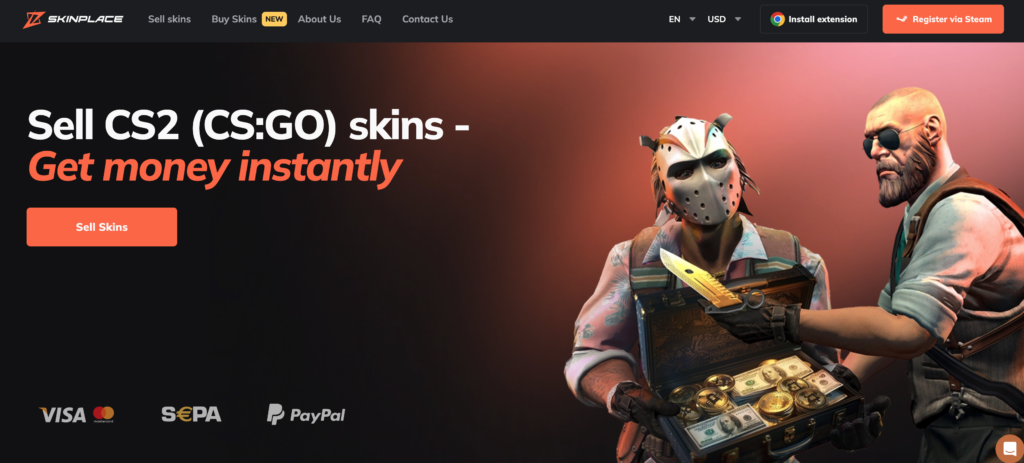
With over 50,000 available skins and support for CS2, Dota 2, and Rust, Skin.place targets users who want:
- Fast sales with instant cashout
- Competitive crypto payment options
- Lower seller fees compared to some large marketplaces
- Regular giveaways and loyalty perks
The platform receives around 255,000 monthly visits, showing steady activity and liquidity for common skins.
One important detail:
The instant cashout rate is 81%, meaning you receive 81% of the cash value offered on the platform.
Who Is Skin.place Best For?
Skin.place is best suited for:
- Sellers who want quick liquidity through instant sell
- Users comfortable with crypto deposits and withdrawals
- Traders looking for lower fee structures
- Players who want alternatives to larger marketplaces
It may not be ideal for:
- Users who prefer only traditional marketplace listings
- Those who avoid crypto transactions
- Buyers looking strictly for the absolute lowest public listing prices
Fees
Before using any CS2 marketplace, understanding the full fee structure is critical. Fees directly impact how much you pay as a buyer and how much you receive as a seller.
Skin.place keeps its structure relatively simple, but costs vary depending on whether you’re buying, selling, depositing, or withdrawing — especially with crypto.
Below is a full breakdown.
| Fee Type | Cost | Notes |
|---|---|---|
| Buyer Fees | Not specified separately | Buyers typically pay listed price |
| Seller Fees | 20% | Standard marketplace selling fee |
| Trading Fees | Not specified | No direct P2P trading system advertised |
| Instant Sell Rate | 81% | You receive 81% of the cash value (not Steam price) |
| Deposit Fees | Varies by method | See breakdown below |
| Withdraw Fees | Varies by method | See breakdown below |
Seller Fees (Marketplace Listings)
When you list a skin on Skin.place using the standard marketplace option, a 20% seller fee applies to the final sale price. This fee is automatically deducted once the item is sold, so the amount you receive is the listed price minus 20%.
There are no additional listing fees mentioned, which means you don’t pay upfront to publish your item — you only pay when it sells.
Compared to other sites for selling CS2 skins, a 20% commission is on the higher end. Because of this, sellers should carefully calculate their final payout before listing, especially for high-value skins where the percentage difference can significantly impact profit
Instant Sell (Quick Cashout)
Skin.place offers instant sell at:
- 81% of the platform’s cash value
Important clarification:
The 81% is calculated from the platform’s internal cash valuation of the skin — not the Steam Market price. If your main goal is instant cashout, it’s worth comparing multiple CS2 marketplaces that offer an insta-sell feature to see which one gives the highest return.
This makes it convenient for quick liquidity but less optimal for maximizing profit.
Deposit Fees
Deposit fees depend on the crypto method used:
| Deposit Method | Fee |
|---|---|
| BTC | $1.74 up to $175, then 1% after |
| LTC | 1% |
| ETH | 1% |
| USDT (TRC20 / ERC20) | $1.40 up to $216, then 0.65% after |
| Credit/Debit Card | Not specified in detail |
| Crypto (General) | Varies by network |
Crypto deposits are generally affordable, especially USDT and LTC.
Withdraw Fees
Withdraw fees vary more significantly depending on the method:
| Withdraw Method | Fee |
|---|---|
| Credit/Debit Card | 4% + $1.16 |
| BCH, DOGE, SOL, TRX, USDT ERC20, USDT TRC20, Kinguin | 0% |
| BTC | $23.58 flat |
| ETH | $2.79 |
| LTC | $0.15 |
| PayPal | Available (fee not specified) |
| Bank Transfer | Available (fee not specified) |
BTC withdrawals are relatively expensive due to network fees, while LTC and USDT are significantly cheaper.
Referral Bonus
- 2% bonus when selling skins
- Referral link available
This can slightly improve returns for active sellers.
Is Skin.place Legit?

Yes — Skin.place appears to be a legitimate CS2 skin marketplace, operating since 2021 with a visible user base and public reviews. However, like any third-party skin market, users should still understand the risks before trading.
Let’s break down the key trust factors.
Years in Operation
Skin.place launched in 2021, which gives it several years of operating history. While it’s not one of the oldest CS2 marketplaces in the industry, it is no longer new or untested.
Longevity matters in the skin marketplace space, where short-lived sites are common. A multi-year track record adds credibility.
Community Reputation
The platform receives around 255,600 monthly visits, indicating steady activity. It also supports multiple games, including:
- CS2
- Dota 2
- Rust
Skin.place promotes regular giveaways and includes a loyalty system, which helps with long-term user retention.
On Reddit and community forums, feedback appears mixed but generally positive. Most complaints typically relate to:
- Withdrawal delays
- Fee misunderstandings
- Instant sell value expectations
There are no widespread reports of systemic scams associated directly with the platform.
Trustpilot Score
Skin.place currently holds:
- 4.2 out of 5 stars on Trustpilot
- Based on 1,149 reviews
A 4.2 rating suggests generally positive user experiences, though, as with any marketplace handling digital goods and money, some negative reviews exist.
It’s important to read recent reviews to understand current performance rather than relying only on the average score.
Known Scam Risks
There are no major public scam accusations tied directly to Skin.place itself. However, common risks in the CS2 marketplace ecosystem include:
- Phishing attempts using fake site copies
- Fake trade bots impersonating official bots
- Discord or Telegram impersonators
Users should always:
- Verify the domain (skin.place)
- Confirm official trade bot details
- Avoid clicking unknown external links
Payment Methods at Skin.place
Skin.place supports both crypto and traditional payment methods for deposits and withdrawals. Fees vary significantly depending on the method, so choosing the right one can make a noticeable difference in your final payout.
Below is a combined overview showing what is available for deposit, withdrawal, and the associated fees.
| Payment Method | Deposit | Withdraw | Fees |
|---|---|---|---|
| BTC | ✅ Yes | ✅ Yes | Deposit: $1.74 up to $175, then 1% after • Withdraw: $23.58 flat |
| LTC | ✅ Yes | ✅ Yes | Deposit: 1% • Withdraw: $0.15 |
| ETH | ✅ Yes | ✅ Yes | Deposit: 1% • Withdraw: $2.79 |
| USDT (TRC20 / ERC20) | ✅ Yes | ✅ Yes | Deposit: $1.40 up to $216, then 0.65% after • Withdraw: 0% |
| BCH, DOGE, SOL, TRX | ❌ No | ✅ Yes | Withdraw: 0% |
| Kinguin | ❌ No | ✅ Yes | Withdraw: 0% |
| Credit/Debit Card | ✅ Yes | ✅ Yes | Withdraw: 4% + $1.16 |
| PayPal | ❌ No | ✅ Yes | Fee not specified |
| Bank Transfer | ❌ No | ✅ Yes | Fee not specified |
What This Means for Users
- Lowest withdrawal fees: LTC and USDT
- Most expensive withdrawal: BTC ($23.58 flat fee)
- Card withdrawals: Convenient but costly (4% + $1.16)
- Crypto deposits: Generally affordable, especially USDT after the threshold
If you plan to withdraw frequently, using LTC or USDT can significantly reduce costs compared to BTC or card withdrawals.
Final Verdict: Is It One of the Best Places to Buy CS2 Skins?
Skin.place is a legitimate CS2 skin marketplace with solid traffic, multiple payment options, and a convenient instant sell feature. But whether it’s the right choice depends on what you’re looking for.
Who Should Use Skin.place?
Skin.place is a strong option for:
- Users who want instant cashout at 81% of internal cash value
- Traders comfortable using crypto (especially LTC or USDT for lower fees)
- Sellers who value speed over maximizing every percentage
- Buyers looking for an alternative to larger, more saturated marketplaces
The platform has been operating since 2021, holds a 4.2 Trustpilot rating (1,149 reviews), and receives over 255,000 monthly visits, which indicates steady activity and liquidity for popular skins.
If your priority is quick selling and flexible withdrawal options, Skin.place can be a practical choice.
Who Should Avoid It?
Skin.place may not be ideal for:
- Sellers trying to maximize profit margins (20% seller fee is relatively high)
- Users who frequently withdraw via BTC (due to the $23.58 flat withdrawal fee)
- Buyers strictly searching for the absolute lowest market prices
If your main goal is to squeeze out the highest possible return on high-tier skins, you may want to compare it with other CS2 Marketplaces for skin buying and evaluate fee differences before committing.
How To Get Started with Skin.place
Getting started on Skin.place is straightforward, but you’ll need a Steam account with tradable CS2 skins to use the platform fully. Below is a step-by-step breakdown.
CS2 skins
Steam account
-
1

Sign Up with Steam
To register, you log in through your Steam account. Steam Guard must be enabled, your inventory must be set to public, and your account must not have any trade restrictions. Once you log in, your Skin.place account is created automatically through Steam authentication.
-
2

Add Funds (If You Want to Buy Skins)
If your goal is to purchase skins directly from the marketplace, you’ll need to deposit funds first. Skin.place supports crypto payments such as BTC, LTC, ETH, and USDT, along with credit or debit card deposits. Before confirming, you should review the deposit fees associated with your chosen method. If you plan to sell skins instead of buying, you can skip this step.
-
3

Buy Skins from the Marketplace
After funding your account, you can browse available CS2 skins and select the ones you want to purchase. Once you complete checkout, the platform will send a trade offer through its official bot. Before accepting, you should verify that the trade bot matches the one displayed on the website to avoid impersonation scams.
-
4

Sell Your Skins
If you want to sell skins, you have two options. You can list them on the marketplace and wait for another user to purchase them, which includes a 20% seller fee. Alternatively, you can use the instant sell feature, which provides 81% of the platform’s internal cash value for immediate payout. Instant sell is faster but usually results in lower returns compared to standard listings.
-
5

Withdraw Your Funds
Once your skins are sold, you can withdraw your balance using one of the supported payment methods, including crypto, PayPal, card, or bank transfer. Withdrawal fees vary depending on the method chosen, so reviewing them before confirming is important. Crypto withdrawals, especially LTC or USDT, tend to offer the lowest fees.
FAQ About Skin.place
-
Can You Get Banned for Using Skin.place?
-
Does Skin.place Require KYC?
-
How Long Do Withdrawals Take?
-
What Is the Instant Sell Rate on Skin.place?
-
Is there a mobile app?
-
How Many Skins Are Available on Skin.place?